How it works
- Scan. Add your site and press Scan now. A 250-page site is checked on your computer, and every page is checked for search and security basics in the same pass.
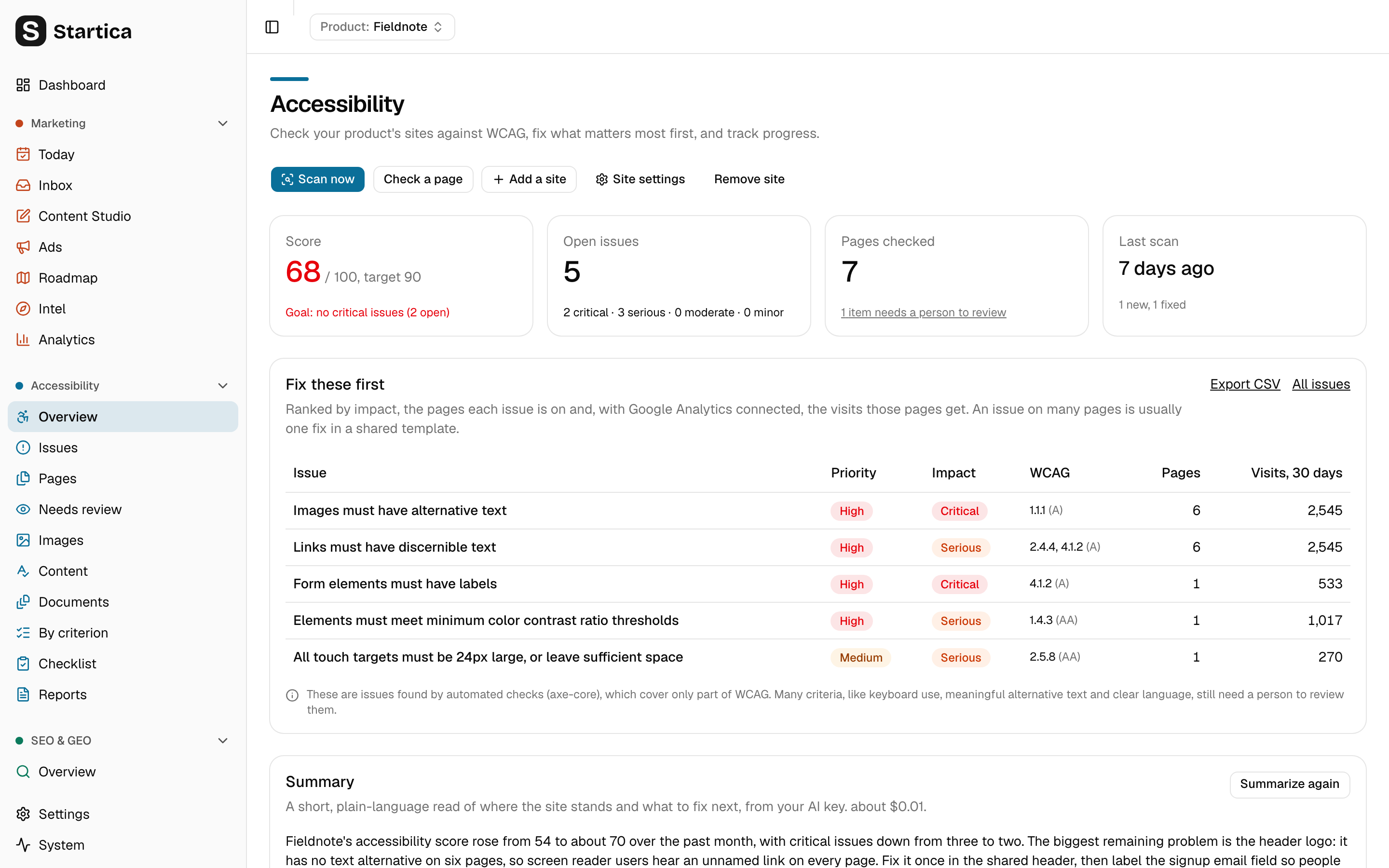
- Prioritize. The Overview shows a score out of 100, what changed since the last scan, and the issues to fix first.
- Fix. Each issue explains what’s wrong for people using assistive technology and how to fix it. Ask the AI for a fix written for your markup if you want one.
- Verify. Recheck just the pages an issue was on. Fixed issues are marked fixed, and reopen if they come back.
- Monitor. Startica rescans every week on its own, and the Dashboard and Today bring up anything critical.
Honest about what automation can find
Automated checks find only part of what WCAG asks for. Keyboard use, meaningful alternative text and clear language need a person. So Startica always shows what still needs review, its statement says what you aim for rather than claiming you meet it, and its ACR draft says “Not Evaluated” for anything nobody checked by hand. Startica never calls a site compliant or certified, and the score is its own measure of progress.
What it doesn’t do
- It doesn’t change your site. No overlay widgets, no injected scripts. Fixes are suggestions you make in your own code.
- It doesn’t scan sites you don’t own. You confirm you may test a site before it’s scanned.
- It doesn’t certify anything. It’s a tool for finding and fixing problems, not an audit.
What it costs
Scans and checks run on your computer and use no AI, so they’re free. AI help is optional and runs only when you press its button, with the cost shown first: about $0.01 for a fix suggestion, and about $0.005 an image for the alt text review. See Costs and budget.